
We Tested:
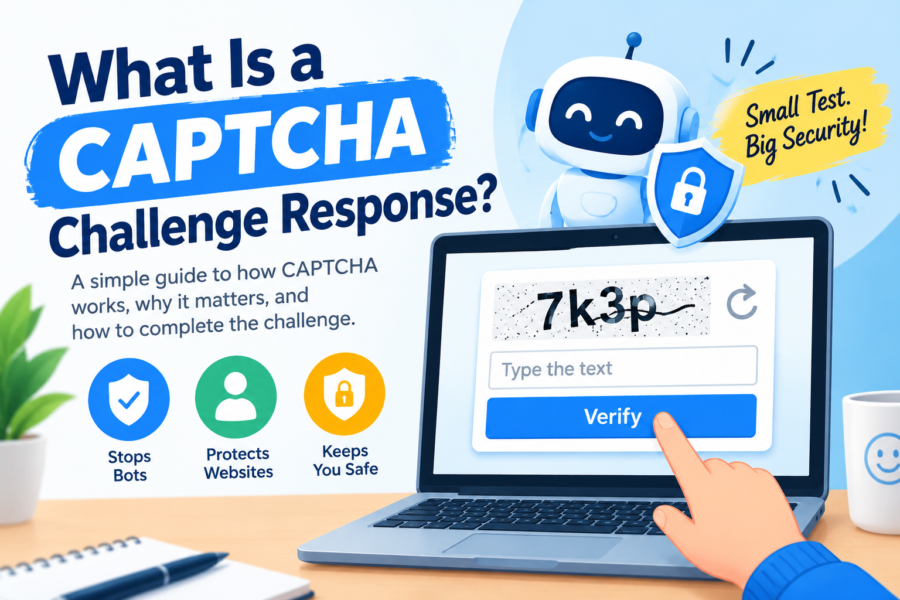
What Is a CAPTCHA Challenge Response? A CAPTCHA challenge response is the answer a user or browser provides to a CAPTCHA test so a website can decide whether the visitor is likely human before allowing a sensitive action.
CAPTCHA itself is a form of challenge-response authentication: the site issues a challenge, the client responds, and the server verifies that response before trusting the request.
Key Takeaways:
- CAPTCHA is a challenge-response test designed to separate humans from bots
- The “response” may be a user answer or a verifiable token
- Server-side verification is essential
- Modern systems often use risk scoring and reserve hard puzzles for suspicious traffic
- CAPTCHA helps with spam, fake signups, and automated abuse, but is not perfect
- Accessibility and false positives are major design concerns
- Layered defenses outperform CAPTCHA alone
You have almost certainly completed one. You clicked a checkbox, selected all the traffic lights, typed distorted characters, or barely noticed an invisible check while a form submitted. In every case, the same pattern was running underneath: challenge, response, verification.
This guide explains what a CAPTCHA challenge response is, how the full flow works, why websites rely on it, how modern systems differ from old distorted-text puzzles, and what users and developers should know to handle it well.
Background: Challenge-Response Authentication in Plain Terms?
In security, challenge-response authentication is a family of methods where one side asks a question and the other must produce a valid answer.
A simple analogy:
- Challenge: “Prove you know the shared secret.”
- Response: the correct proof
- Verification: the server checks the proof before granting access
Passwords are a basic challenge-response pattern. Cryptographic login protocols are more advanced versions. CAPTCHA applies the same idea to a different goal: not “prove you know the password,” but “prove you are probably a human (or a legitimate browser session), not an automated script.”
The official expansion of CAPTCHA is Completely Automated Public Turing test to tell Computers and Humans Apart. The “Turing test” reference matters: the system is trying to distinguish human behavior from machine behavior at internet scale.
What “CAPTCHA Challenge Response” Specifically Means?
People use the phrase in two closely related ways:
- The user’s answer to the challenge
Example: the text typed from an image, the selected image tiles, or the completed checkbox interaction. - The technical response token returned after a successful check
In modern implementations, after the challenge succeeds, the CAPTCHA provider issues a short-lived token. The browser sends that token with the form or API request, and the website verifies it server-side.
Both meanings sit inside the same process. The visible puzzle is the human-facing challenge. The token is the machine-readable response the application actually trusts.
How a CAPTCHA Challenge-Response Flow Works?
A typical modern flow looks like this:
- Protected action starts
A user tries to log in, create an account, post a comment, submit a checkout form, or call a sensitive endpoint. - Challenge is issued
The site loads a CAPTCHA widget or risk engine. The challenge may be visible (image selection, checkbox) or invisible (behavioral and browser signals). - Response is produced
The human solves the puzzle, or the browser/environment passes a risk assessment. - Token is created
On success, the CAPTCHA service returns a temporary response token to the client. - Token is submitted with the request
The form or API call includes that token. - Server verifies the token
The application backend checks the token with the CAPTCHA provider or local verifier. - Action is allowed or blocked
If verification succeeds, processing continues. If it fails, the request is rejected, rate-limited, or challenged again.
Critical point: verification must happen on the server. If a site only checks that a CAPTCHA appeared in the browser UI, attackers can bypass it by posting directly to the backend.
Types of CAPTCHA Challenges
CAPTCHA has evolved because bots evolved.
1. Text / distorted character CAPTCHAs
Early systems showed warped letters and numbers. Humans typed what they saw. As optical character recognition improved, these became less reliable and more frustrating.
2. Image-selection CAPTCHAs
“Select all squares with buses / traffic lights / crosswalks.” These use visual recognition tasks that were historically harder for bots, though computer vision has narrowed the gap.
3. Checkbox / interactive CAPTCHAs
A simple “I’m not a robot” checkbox often triggers deeper background analysis of mouse movement, browser state, and prior behavior.
4. Invisible / risk-based CAPTCHAs
No puzzle appears for many users. The system scores the session using signals such as browser integrity, interaction patterns, IP reputation, and device characteristics. High-risk sessions may escalate to a visible challenge.
5. Puzzle and logic challenges
Drag a slider, rotate an object, solve a lightweight logic task. These are still challenge-response tests, just with different human-skill assumptions.
6. Proof-of-work style challenges
Some newer systems ask the browser to perform a computational task that is cheap for a single legitimate session but expensive for mass automated attacks.
All of these still follow the same architecture: challenge → response → verify.
Why Websites Use CAPTCHA Challenge Responses?
Sites deploy CAPTCHA to reduce automated abuse such as:
- Spam account creation
- Credential stuffing and brute-force login attempts
- Comment and form spam
- Ticket scalping and inventory hoarding
- Fake reviews and referral fraud
- API scraping at abusive rates
- Fake engagement on voting or polling systems
CAPTCHA is rarely the only control. It works best as one layer beside rate limits, device fingerprinting, account reputation, email/phone verification, and anomaly detection.
What Makes a Good Challenge-Response Design?
Strong CAPTCHA systems aim for four properties:
- Hard for bots at scale
- Usable for legitimate humans
- Short-lived and non-reusable tokens
- Server-side verifiability
If any one of those fails, the system either blocks real users or fails to stop abuse.
Accessibility is a major design constraint. Visual-only challenges can exclude users with vision impairments unless audio alternatives or non-visual risk checks are provided. Privacy is another constraint: risk engines may process behavioral or environmental signals that users never see.
Practical Tips for Everyday Users
- Complete the challenge exactly as asked — extra spaces or delayed submissions can cause failures on older text CAPTCHAs.
- Allow scripts from the CAPTCHA provider if the widget fails to load.
- Disable aggressive content blockers temporarily on trusted sites when a challenge will not appear.
- Try a different browser or network if you are repeatedly blocked; some corporate VPNs and privacy tools raise risk scores.
- Use audio alternatives when available if visual challenges are difficult.
- Do not enter CAPTCHA answers into random pop-ups outside the official page flow — phishing pages sometimes mimic challenges.
- Expect more checks on sensitive actions like password resets, payments, or new device logins.
Practical Tips for Developers and Site Owners
- Always verify tokens server-side with the provider’s verification API or equivalent.
- Bind tokens to action context where supported (domain, form purpose, short TTL).
- Combine CAPTCHA with rate limiting — CAPTCHA alone is not a complete bot strategy.
- Use adaptive friction — challenge high-risk sessions more, low-risk sessions less.
- Monitor false-positive rates so real customers are not abandoned at checkout.
- Provide accessible fallback paths consistent with legal and product requirements.
- Fail closed on verification errors for high-risk actions; fail carefully for low-risk browsing.
- Log challenge outcomes to detect sudden bot-wave patterns.
Common Mistakes and Challenges
1st Mistake: Treating CAPTCHA as proof of identity
CAPTCHA estimates human presence; it does not authenticate a specific person.
2nd Mistake: Client-only checks
If the backend never validates the response token, the control is cosmetic.
3rd Mistake: Over-challenging low-risk users
Too much friction increases bounce rates and support tickets.
4th Mistake: Under-challenging high-value endpoints
Login, signup, password reset, and checkout usually need stronger protection.
5th Mistake: Ignoring accessibility
A security control that blocks legitimate users is a product failure.
6th Mistake: Assuming one CAPTCHA style remains effective forever
Attackers adapt. Systems need updates, signal quality, and layered defenses.
Challenge: Privacy vs. detection power
Stronger bot detection often relies on more signals. Teams must balance security, transparency, and compliance.
Pros, Cons, and Balanced Analysis
Pros
- Reduces automated spam and abuse at scale
- Adds a practical gate in front of sensitive actions
- Can adapt from invisible checks to hard challenges
- Works across many industries and platforms
Cons
- Can frustrate real users
- Accessibility barriers if poorly implemented
- Determined attackers may use CAPTCHA-solving services or browser automation
- Risk scoring can create false positives for privacy-focused users
Balanced view
A CAPTCHA challenge response is a useful filter, not a silver bullet. It raises the cost of automation and blocks casual bots effectively. Against sophisticated adversaries, it should sit inside a broader security architecture.
Future Trends
Several trends are shaping the next phase of CAPTCHA challenge-response systems:
- More invisible risk analysis, with visible puzzles only for suspicious sessions
- Stronger browser and device integrity signals
- Proof-of-work and computational challenges as alternatives to labeling images
- Better accessibility-oriented designs
- Tighter integration with fraud platforms rather than standalone widgets
- Ongoing arms race with AI-based solvers and human CAPTCHA farms
The core challenge-response idea will remain. The challenges themselves will keep shifting toward signals that are expensive to fake in bulk.
CAPTCHA and Bot-Defense Approaches Compared
| Approach | Challenge type | User friction | Bot resistance | Best use case |
|---|---|---|---|---|
| Classic text CAPTCHA | Distorted characters | High | Low–moderate today | Legacy forms |
| Image selection | Visual object grids | Medium–high | Moderate | General web forms |
| Checkbox + analysis | Click + signals | Low–medium | Moderate–high | Logins, signups |
| Invisible risk scoring | Background checks | Very low for most users | High when well tuned | Consumer sites at scale |
| Slider / puzzle widgets | Interaction tasks | Medium | Moderate | Regional platforms |
| Proof-of-work CAPTCHA | Browser computation | Low–medium | Strong vs mass attacks | APIs and high-volume abuse |
| SMS / email OTP | Possession challenge | Medium | Different threat model | Account binding |
| Passkeys / WebAuthn | Cryptographic auth | Low after setup | Strong for identity | Login replacement |
| Rate limits + IP reputation | Traffic controls | Low | Complementary | Always-on baseline |
| Human moderation queues | Manual review | High delay | High for edge cases | High-risk content |
Who Encounters CAPTCHA Challenge Responses — and What They Need
| Audience | Common situation | Practical need |
|---|---|---|
| Everyday users | Form and login challenges | Clear instructions, accessibility options |
| Privacy-focused users | Frequent invisible failures | Understand VPN/browser signal effects |
| Developers | Implementing forms/APIs | Server-side verification patterns |
| Security teams | Abuse reduction | Adaptive friction and metrics |
| Small businesses | Comment/spam control | Simple managed CAPTCHA services |
| E-commerce teams | Checkout protection | Low false positives at payment |
| Educators / students | Learning web security | Challenge-response fundamentals |
| Accessibility users | Non-visual access | Audio or alternative verification paths |
FAQs
What is a CAPTCHA challenge response?
It is the answer or verification result produced after a CAPTCHA test — either the user’s solved puzzle input or the token a site verifies before accepting a request.
Is CAPTCHA a type of challenge-response authentication?
Yes. CAPTCHA is widely described as a challenge-response method used to distinguish humans from bots.
Why do I keep getting CAPTCHA challenges?
Sensitive actions, unusual traffic patterns, new devices, VPNs, or automated-looking behavior can trigger more checks.
What is a CAPTCHA token?
A short-lived response value issued after a successful challenge. Websites verify it server-side before completing protected actions.
Can bots solve CAPTCHAs?
Some can, especially older styles. That is why modern systems combine puzzles with risk analysis and other defenses.
Does completing a CAPTCHA mean my data is safe?
No. CAPTCHA helps reduce bots; it does not replace passwords, encryption, or account security best practices.
Why should verification happen on the server?
Because client-side checks can be bypassed. Server verification confirms the response is valid for that request.
Conclusion
A CAPTCHA challenge response is the practical output of a simple security idea: ask for proof that a request is likely human, then verify that proof before trusting the action. Whether the proof is typed text, selected images, a checkbox interaction, or an invisible risk score, the architecture remains challenge → response → verification.
Used well, CAPTCHA reduces spam and automated abuse without becoming the entire security strategy. Used poorly, it blocks customers and creates a false sense of protection.
Quick Summary
A CAPTCHA challenge response is how a website checks that a visitor is probably human: it issues a challenge, receives a response, and verifies that response before allowing actions like login, signup, or form submission.
Short Content Disclaimer
This article is for general educational purposes. CAPTCHA implementations, token formats, and risk signals vary by provider and change over time. It is not a substitute for formal security architecture review or compliance advice.
Authority sources:
Definitions of CAPTCHA as challenge-response authentication align with major platform explainers and the broader computer-security meaning of challenge-response protocols. Implementation flow details reflect standard modern patterns: client challenge, response token, and server-side verification before protected actions are accepted. For provider-specific token behavior, consult the official documentation of the CAPTCHA service in use.

Novara Lin
Senior Editor & Clean Beauty Analyst
Novara Lin is a clean beauty researcher and wellness editor dedicated to demystifying modern skincare and evidence-based living. With a background in formulation science and consumer health reporting, she specializes in analyzing complex ingredient profiles, evaluating product safety, and bridging the gap between clinical research and daily self-care routines. Her work focuses on helping readers cut through industry noise to build minimal, highly effective routines rooted in transparency and skin health. When she isn’t testing active formulations or auditing non-toxic household choices, Novara leads editorial strategy for NovaRa Pure.