
We Tested:We Tested:
Have you ever searched for “TVApp” expecting one simple streaming service, only to discover that multiple apps and websites use nearly identical names? You are not alone.
The term TVApp can refer to different live TV applications, IPTV players, regional television apps, and streaming platforms.
TVApp generally refers to an app or service designed to stream live television or video content over the internet, but the exact product depends on which “TVApp” you mean. Before installing or subscribing, users should verify the provider, content licensing, privacy practices, device compatibility, and availability in their country.
For the general audience, understanding TVApp is less about learning one app and more about understanding the rapidly changing world of internet television.
Traditional television once required a cable connection, satellite dish, or dedicated television package. Today, people increasingly watch entertainment through smartphones, Smart TVs, tablets, browsers, streaming devices, and connected computers.
That shift has created enormous demand for:
- Live TV streaming
- Video-on-demand services
- IPTV players
- Free ad-supported television
- Sports streaming
- International television
- Smart TV apps
- Personalized entertainment platforms
However, the convenience also creates confusion.
A search for TVApp can surface multiple unrelated services. Some may be legitimate applications listed in official app stores. Others may be IPTV services, third-party streaming platforms, regional broadcaster applications, or websites using similar branding. That makes research especially important before entering payment details, downloading software, or accessing streams.
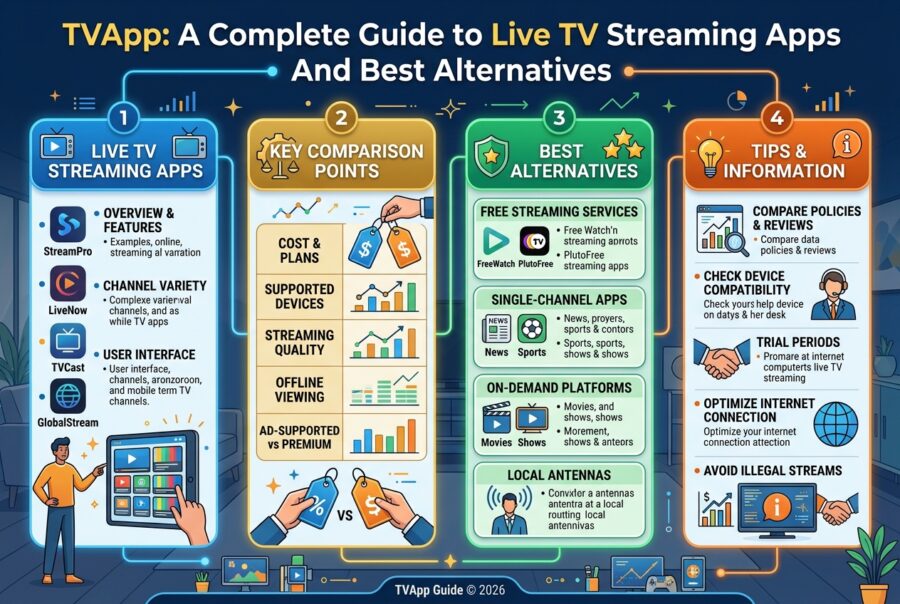
This comprehensive guide explains what TVApp can mean, how TV streaming applications work, how to evaluate them, the advantages and disadvantages of internet television, common mistakes to avoid, and how major streaming brands compare.
What Is TVApp?
The simplest answer is that TVApp is a broad name used by multiple television and streaming-related products.
Depending on the platform and developer, a TVApp may provide:
- Live television playback
- Internet television access
- Video-on-demand content
- Electronic program guides
- Channel favorites
- AirPlay or casting support
- Smart TV compatibility
- IPTV playlist playback
- Regional broadcaster content
- Sports and entertainment programming
For example, an iOS app called TvApp – Live TV streaming describes itself as a video player for live content and states that users manually add legally accessible channel links rather than receiving integrated channels from the app itself. Its listed features include live streaming, an electronic program guide, AirPlay support, favorites, and the ability to resume the last channel.
At the same time, other products using the TVAPP or TVApp name operate as separate services or applications. This means that you should never assume every product called “TVApp” belongs to the same company or provides the same content.
That distinction is one of the most important things users often miss.
Understanding the TVApp Search Term
Why Is “TVApp” So Confusing?
The phrase is extremely generic.
It combines two common technology terms:
- TV
- App
As a result, different developers and companies can create products with similar names.
When researching a specific TVApp, look carefully at:
- The official developer name
- The official website
- The app-store listing
- The supported devices
- The privacy policy
- The terms of service
- The country or region served
- The type of content offered
A product called TVApp on an iPhone may not be the same product as a website called TVAPP, a Smart TV application, or an IPTV subscription service.
A practical example
Imagine two users searching for TVApp.
User A finds an app in an official mobile app store that functions as a player.
User B finds a subscription website offering hundreds of channels.
Although both services may use similar branding, they could have completely different:
- Owners
- Licensing arrangements
- Privacy practices
- Payment systems
- Content libraries
- Legal responsibilities
That is why the name alone is not enough to identify a service.
How TV Streaming Apps Work
Modern television applications rely primarily on internet connectivity.
Instead of receiving programming exclusively through a traditional broadcast cable, content is delivered through an internet connection.
The basic process looks like this:
Content Provider → Internet Infrastructure → Streaming Service or App → User Device
The experience may appear simple to the viewer.
Open an app.
Choose a channel.
Press play.
Behind the scenes, however, several technologies may be involved.
Video Streaming
A streaming application transfers video data over the internet in a way that allows playback to begin before the entire program has been downloaded.
This is why users can watch:
- Live news
- Movies
- Television episodes
- Sports
- Documentaries
- Children’s programming
without downloading every file completely beforehand.
Streaming platforms often use adaptive technologies that attempt to adjust video quality according to the user’s internet connection.
For example:
A strong connection may support high-definition playback.
A weaker connection may cause the service to lower the video quality to reduce buffering.
Live Television Streaming
Live television works differently from traditional on-demand video.
A live channel delivers programming as events occur.
Examples include:
- Breaking news
- Live sports
- Award shows
- Talk shows
- Television broadcasts
The application receives a continuous stream and presents it to the viewer with a small delay.
The exact delay can vary based on:
- Internet speed
- Streaming technology
- Device performance
- Server location
- Network congestion
Video on Demand
Video-on-demand, commonly called VOD, allows users to select content whenever they want.
Instead of tuning into a scheduled broadcast, users choose:
- A movie
- A television episode
- A documentary
- A series
- A previously aired program
This flexibility is one of the biggest reasons streaming became so popular.
Electronic Program Guides
Many live television applications include an Electronic Program Guide, often shortened to EPG.
An EPG helps viewers understand:
- What is currently playing
- What is coming next
- Channel schedules
- Program descriptions
- Start times
The iOS TvApp listing, for example, identifies an integrated EPG as one of its features.
For users watching many live channels, an EPG can significantly improve the experience.
Without it, finding content can feel like randomly switching through channels.
The Different Types of TV Apps
Not all television applications work the same way.
Understanding the category helps users make better decisions.
1. Subscription Streaming Services
These platforms typically charge a monthly or annual fee.
They may provide:
- Original series
- Movies
- Live channels
- On-demand programming
Examples include major subscription streaming platforms.
The advantage is convenience and professional infrastructure.
The disadvantage is cost.
A household subscribing to multiple services can quickly accumulate significant monthly expenses.
2. Free Ad-Supported TV Services
These services provide content at no direct subscription cost.
Instead, advertising helps support the platform.
They may offer:
- Live channels
- Movies
- Television shows
- Classic programs
- News channels
The biggest advantage is affordability.
The main trade-off is advertising.
3. Broadcaster Apps
Traditional television networks and broadcasters increasingly operate their own apps.
These apps may provide:
- Live broadcasts
- News clips
- Catch-up content
- Local programming
- On-demand shows
A regional example exists in the Google Play ecosystem, where an application called TVApp from Telemar-Axera provides live TVA Vicenza programming and on-demand episodes from related channels.
This demonstrates another important point:
The name TVApp does not automatically mean a global streaming platform. Some TV apps are designed specifically for regional broadcasters and local audiences.
4. IPTV Players
IPTV stands for Internet Protocol Television.
An IPTV player may function primarily as software that plays television streams supplied through legally authorized sources.
The player itself may not own or provide channels.
Instead, users may connect their own authorized streaming sources.
The distinction between:
- An IPTV player
- An IPTV content provider
is extremely important.
A media player is simply software.
The legality and legitimacy of the content source can be a separate issue.
Users should ensure that any streams or playlists they access are legally authorized in their location.
5. Smart TV Applications
Smart TVs increasingly operate like large connected computers.
Users can install applications directly on the television.
Common features include:
- Remote control navigation
- Voice search
- Personalized recommendations
- Multiple profiles
- App stores
- Casting support
Smart TV apps make streaming more convenient because users no longer need to connect a separate computer to the television.
6. Mobile TV Apps
Mobile television applications allow users to watch content on:
- Smartphones
- Tablets
- Portable devices
These apps are useful for:
- Commuters
- Travelers
- Students
- People away from home
- Users who do not own a traditional television
The main challenges include:
- Mobile data consumption
- Smaller screens
- Battery usage
- Regional restrictions
What Features Should a Good TVApp Have?
A high-quality television application should offer more than a play button.
Here are the most important features to consider.
Easy Navigation
Users should be able to find content quickly.
A confusing interface can make even a large content library frustrating.
Look for:
- Clear categories
- Search functionality
- Favorites
- Watchlists
- Channel organization
Reliable Video Playback
Streaming quality is fundamental.
A good application should aim to minimize:
- Buffering
- Crashes
- Audio problems
- Video freezing
Of course, performance also depends on the user’s internet connection.
Electronic Program Guide
For live television, an EPG is extremely valuable.
It helps viewers plan what to watch instead of manually searching through channels.
Multi-Device Support
Modern users expect flexibility.
Useful device support may include:
- Smartphones
- Tablets
- Smart TVs
- Streaming sticks
- Web browsers
- Computers
Before subscribing, always confirm whether your preferred device is officially supported.
Casting and AirPlay
Some users prefer discovering content on a phone but watching it on a larger screen.
Useful technologies include:
- AirPlay
- Chromecast
- Device casting
The TvApp listing on Apple’s App Store specifically mentions AirPlay compatibility.
Favorites and Watchlists
A favorites system saves time.
Instead of searching repeatedly, users can quickly access preferred channels or programs.
This becomes especially useful when an application contains hundreds of options.
Resume Features
A resume feature remembers where the viewer stopped watching.
Some live TV applications also remember the last channel used.
This can create a more personalized experience.
Search Functionality
Large content libraries require effective search.
A good search system should help users find:
- Movies
- Shows
- Channels
- Genres
- Actors
- Programs
Poor search functionality can make a large library feel smaller than it actually is.
How to Choose the Right TVApp
Choosing a television app should begin with your needs.
The best app for one person may be completely wrong for another.
1st Step: Identify What You Actually Want to Watch
Ask yourself:
Do you primarily watch:
- Movies?
- Live sports?
- News?
- Local television?
- Children’s programming?
- International channels?
- Documentaries?
- Entertainment series?
Your answer should guide your choice.
A sports-focused viewer should not necessarily choose the same service as someone who mainly watches documentaries.
2nd Step: Check Availability in Your Country
Streaming rights vary internationally.
A service available in one country may be unavailable elsewhere.
Even when an app can be downloaded internationally, specific content may be restricted.
Always check:
- Country availability
- Regional content libraries
- Payment support
- Language options
3rd Step: Verify Device Compatibility
Before paying for a subscription, check whether the service works on your preferred device.
For example:
- Android
- iPhone
- iPad
- Smart TV
- Roku
- Fire TV
- Apple TV
- Web browser
Never assume compatibility.
4th Step: Understand the Content Source
This is especially important for IPTV-related products.
Ask:
- Who provides the content?
- Does the service clearly identify itself?
- Does it explain its licensing?
- Are the streams authorized?
- Are there official terms and policies?
If the answers are unclear, proceed cautiously.
5th Step: Review the Privacy Policy
A television app can potentially collect information about:
- Device usage
- Viewing behavior
- Account information
- Technical identifiers
Privacy policies should explain what information is collected and how it may be used.
Apple’s app listing for one TvApp product currently indicates that the developer declared no data collection, while also noting that developer-provided privacy information may vary and is not independently verified by Apple.
That does not mean every app called TVApp follows the same privacy approach.
Again, the specific product matters.

Novara Lin
Senior Editor & Clean Beauty Analyst
Novara Lin is a clean beauty researcher and wellness editor dedicated to demystifying modern skincare and evidence-based living. With a background in formulation science and consumer health reporting, she specializes in analyzing complex ingredient profiles, evaluating product safety, and bridging the gap between clinical research and daily self-care routines. Her work focuses on helping readers cut through industry noise to build minimal, highly effective routines rooted in transparency and skin health. When she isn’t testing active formulations or auditing non-toxic household choices, Novara leads editorial strategy for NovaRa Pure.